
Top 5 IPTV Devices Popular Among UK Users
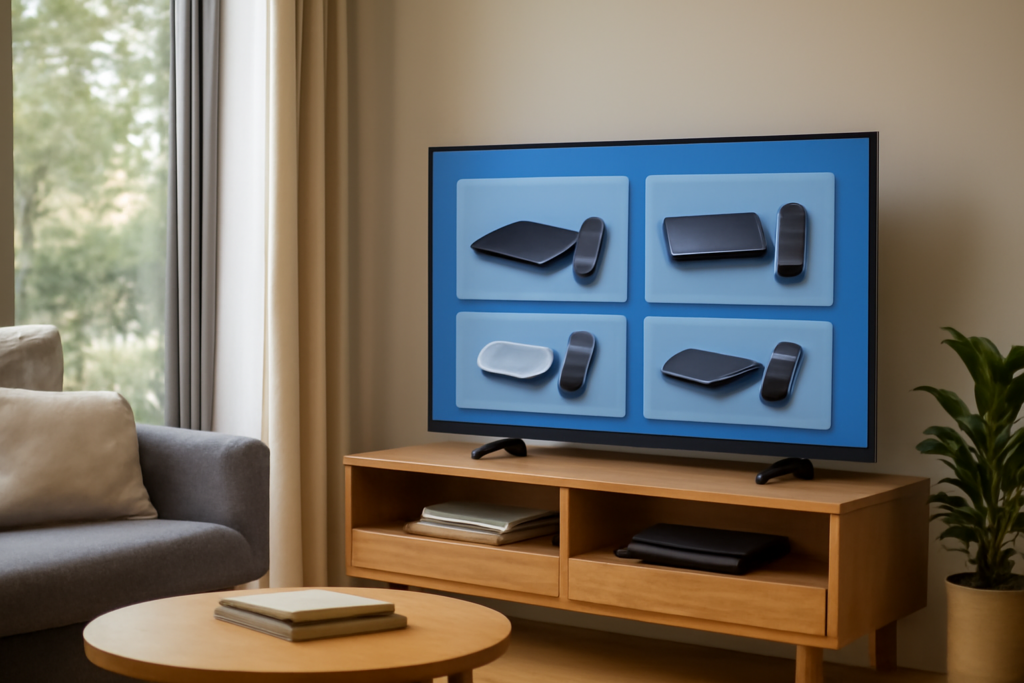
UK users increasingly prefer specific IPTV devices for their reliability and ease of use. Here’s a detailed look at the top five devices that stand out in the UK market, helping you choose the best setup for your streaming needs.
Understanding Why UK Viewers Favor Certain IPTV Devices
In the UK, IPTV (Internet Protocol Television) has rapidly gained popularity as a flexible, cost-effective alternative to traditional broadcast television. With a broad array of content accessible via internet streaming, viewers are increasingly turning to dedicated devices that optimize their viewing experience. The choice of IPTV device significantly impacts factors such as picture quality, stability, ease of use, and access to content. Recognizing the most popular devices among UK users helps consumers make informed decisions tailored to their technical skills, content preferences, and budget.
Top 5 IPTV Devices Popular Among UK Users
1. Amazon Fire TV Stick
The Amazon Fire TV Stick remains a top choice among UK viewers due to its affordability, straightforward setup, and extensive app ecosystem. It supports a wide range of IPTV applications, including popular players like Kodi, Perfect Player, and IPTV Smarters. Its user-friendly interface makes it accessible for beginners, while advanced users can customize their experience with third-party apps and VPN integrations.
One of its key advantages is its compatibility with VPNs, which is crucial for UK users seeking to access geo-restricted content or enhance privacy. The Fire TV Stick also supports 4K Ultra HD streaming, ensuring high-quality picture output for compatible content. Its compact design and remote control with voice search capabilities add to its convenience.
However, users should be aware of potential restrictions on sideloading apps or installing unofficial IPTV services, which may violate terms of service or legal considerations in the UK. Always ensure compliance with local laws when streaming content via IPTV devices.
2. Android TV Boxes
Android TV boxes offer a versatile and highly customizable IPTV experience. These devices run on the Android operating system, supporting a vast array of IPTV apps, including those that use M3U playlists, Xtream Codes, or other streaming protocols. Popular models include the NVIDIA Shield TV, Xiaomi Mi Box, and generic Android TV boxes from various manufacturers.
Android TV boxes often feature powerful hardware, supporting 4K HDR content, voice search, and multiple app installations. They provide users with the flexibility to sideload apps, customize user interfaces, and install additional software for enhanced functionality. For tech-savvy users, these devices can be tailored to create a comprehensive entertainment hub.
It’s important to choose a device with sufficient RAM and processing power to handle high-definition streams smoothly. Additionally, users should consider security aspects, such as installing reputable VPNs and avoiding unofficial app repositories that may pose malware risks.
3. Apple TV
Apple TV offers a premium streaming experience, favored by dedicated Apple ecosystem users. Its seamless integration with iOS devices, iCloud, and the App Store makes it easy to access a variety of IPTV apps, including those compatible with Apple’s tvOS platform.
While more expensive than other options, Apple TV provides robust hardware, including 4K HDR support, Dolby Vision, and Dolby Atmos. Its reliable firmware ensures minimal buffering and consistent playback quality. For users invested in Apple services, this device offers a cohesive experience, with the added benefit of AirPlay for casting content from iPhones or iPads.
However, the high cost may be a barrier for some users, and compatibility with certain IPTV services or apps may require additional configurations or third-party solutions. Always verify app compatibility before purchasing.
4. Chromecast with Google TV
Chromecast with Google TV provides a budget-friendly yet capable solution for IPTV streaming. It allows users to cast content directly from mobile devices or use dedicated apps through its interface. Its integration with Google services, such as YouTube, Google Photos, and Google Assistant, enhances usability.
The device supports 4K Ultra HD streaming with HDR and Dolby Vision, making it suitable for high-quality content. Its remote control offers convenient navigation, and the device’s interface allows for easy browsing of streaming apps and IPTV services.
Chromecast with Google TV is particularly popular among UK users who prefer a simple setup and an ecosystem familiar from their Android smartphones and Google accounts. As with other devices, users should ensure they use secure VPNs and adhere to legal guidelines when accessing IPTV content.
5. Smart TVs with Built-in IPTV Support
Many modern Smart TVs from brands like Samsung, LG, and Sony come with native support for IPTV applications. These TVs often have pre-installed app stores and support popular IPTV players, eliminating the need for external streaming devices.
The advantage of built-in IPTV support is a seamless, clutter-free setup with a larger screen for immersive viewing. These TVs often include features like voice control, multiple HDMI ports, and smart home integration, enhancing overall user experience.
However, the availability of IPTV apps varies by manufacturer and model, and some may require firmware updates or additional setup. Users should verify app compatibility and consider the TV’s processing power for smooth streaming, especially when viewing high-resolution content.
Factors Influencing the Choice of IPTV Devices in the UK
- Compatibility with IPTV Apps: Ensure the device supports popular IPTV players and playlist formats such as M3U, Xtream Codes, or Stalker Portal.
- Ease of Setup: User-friendly interfaces and straightforward installation processes are essential, especially for non-technical users.
- Performance and Reliability: Hardware quality impacts streaming stability, picture quality, and responsiveness.
- Price and Value: Balance features and cost to find the best value for your needs.
- Security and Privacy: Compatibility with VPNs and secure apps is vital, especially considering the legal landscape surrounding IPTV in the UK.
Additional Tips for Optimizing Your IPTV Experience
Choosing the right device is just part of the equation. To maximize streaming quality and security, consider the following:
- Upgrade your internet plan to ensure sufficient bandwidth, especially for 4K streams, reducing buffering and lag.
- Use a reliable VPN to access geo-restricted content securely and protect your privacy. Select VPNs with fast speeds and UK server options.
- Implement Quality of Service (QoS) settings on your router to prioritize streaming traffic, minimizing interruptions during peak usage times.
- Avoid common user mistakes such as using outdated apps, poor-quality playlists, or insecure sources that could compromise your device or legal standing.
Legal Considerations and Responsible Streaming
While IPTV offers a wealth of content, users must be aware of the legal landscape in the UK. Accessing copyrighted content without proper authorization can lead to legal issues. Always opt for legitimate IPTV services or ensure your sources are legal and licensed. Using VPNs can help protect your privacy, but they do not legalize unauthorized streaming.
Research local laws and consider subscribing to legal IPTV services or free-to-air channels to stay compliant and support content creators.
Conclusion
For UK viewers, selecting the right IPTV device can significantly enhance streaming quality, ease of use, and access to diverse content. The Amazon Fire TV Stick, Android TV boxes, Apple TV, Chromecast with Google TV, and Smart TVs with native IPTV support are currently the most popular options. When choosing, consider your budget, technical skills, content preferences, and legal considerations. Pair your device with a good internet connection, a reliable VPN, and secure apps to enjoy a seamless IPTV experience tailored to your needs.
