
Common User Mistakes Leading to Buffering in UK IPTV and How to
Buffering in UK IPTV streams can frustrate viewers, often caused by avoidable user mistakes. This guide highlights common pitfalls and practical solutions to improve your streaming quality.
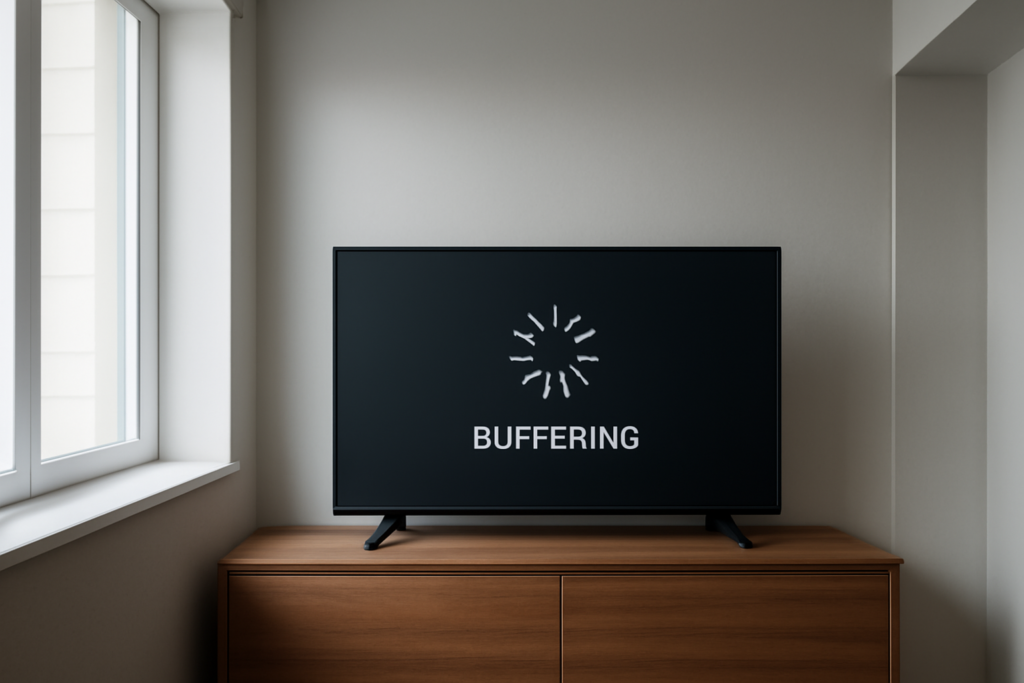
Common User Mistakes Leading to Buffering in UK IPTV and How to Prevent Them: Practical Guide
Common User Mistakes Leading to Buffering in UK IPTV and How to Prevent Them is the focus of this practical guide. The following sections explain useful options, key considerations and clear steps to help readers make an informed decision.
Understanding Buffering Issues in UK IPTV
Buffering remains one of the most common frustrations for IPTV viewers in the UK. Although technical factors like server load, content delivery networks, and infrastructure play significant roles, many buffering problems originate from user-related mistakes. Recognizing these pitfalls and knowing how to avoid them can significantly enhance your viewing experience, ensuring smoother streams and less downtime.
Common User Mistakes Leading to Buffering and How to Prevent Them
1. Using Low-Speed or Unstable Internet Connections
One of the primary causes of buffering is insufficient internet bandwidth. IPTV streaming, especially in high definition (HD) or 4K, demands a stable and fast connection. Typically, a minimum of 10 Mbps download speed is recommended for HD content, with higher speeds needed for ultra HD or multiple streams simultaneously. An unstable or slow connection causes data to buffer, interrupting playback and frustrating viewers.
How to prevent this: Test your internet speed using tools like Speedtest.net. If your speeds are below the recommended threshold, consider upgrading your internet plan. Opt for providers offering fiber-optic connections, which provide higher speeds and lower latency. Additionally, ensure your connection is stable by using wired Ethernet where possible, as Wi-Fi signals can fluctuate due to interference or distance from the router.
2. Overloading Your Network with Multiple Devices
Having several devices connected simultaneously—smartphones, tablets, computers, smart home devices—can strain your network bandwidth. Each device consumes a portion of your available bandwidth, leaving less for streaming, which can cause buffering or degraded quality.
How to prevent this: Limit the number of devices active during IPTV viewing. Schedule large downloads or uploads outside streaming times. Use your router’s Quality of Service (QoS) settings to prioritize IPTV traffic over other activities. This ensures your streaming device receives sufficient bandwidth, reducing buffering issues.
Learn more about QoS here: Understanding the Quality of Service (QoS) for IPTV in the UK.
3. Ignoring Your Router and Modem Settings
Outdated firmware, poor Wi-Fi signal strength, or misconfigured settings can hinder your connection quality. Many users overlook routine maintenance, leading to suboptimal performance.
How to prevent this: Regularly update your router’s firmware to benefit from security patches and performance improvements. Position your router centrally in your home, away from obstructions and electronic interference. For the most stable connection, connect your streaming device directly via Ethernet cable. Also, consider resetting your router periodically to clear cache and resolve temporary glitches.
For detailed troubleshooting, see this guide: Troubleshooting Common Firestick IPTV Issues.
4. Using Overloaded or Unreliable VPNs
Many UK IPTV users rely on VPNs to access geo-restricted content. However, poorly configured or overloaded VPN servers can introduce latency, reduce speeds, and cause buffering.
How to prevent this: Use VPN providers optimized for streaming, with high-speed servers located close to your location. Choose reputable VPN services known for stability and speed, and select servers specifically designed for streaming. Avoid free VPNs or those with congested servers, as they often lack the necessary bandwidth for smooth IPTV streaming.
Find more about optimizing VPN settings here: Best VPN Settings for Reducing Buffering in UK IPTV Streams.
5. Streaming from Low-Quality or Unreliable Sources
Not all IPTV sources are equal. Free or unofficial streams often have lower quality, higher latency, and unreliable servers, leading to frequent buffering and poor viewing experience.
How to prevent this: Subscribe to legitimate IPTV services that provide high-quality streams with reliable server infrastructure. Verify the provider’s server locations and user reviews to ensure consistent performance. Avoid sources that frequently buffer or have inconsistent content delivery, as these are often unreliable or illegal streams.
Additional Practical Tips for Enhancing Your IPTV Streaming Experience
- Upgrade Your Internet Plan: Ensure your internet speed meets the requirements for your desired content quality. Fiber-optic connections offer the best performance for IPTV streaming, reducing buffering and improving stability. For guidance, see: Guide to Upgrading Your Internet Plan for Better IPTV Streaming.
- Configure Quality of Service (QoS): Prioritize IPTV traffic on your router to minimize interruptions. Proper QoS setup allocates bandwidth efficiently, especially during peak usage times. Details are available at: Understanding the Quality of Service (QoS) for IPTV in the UK.
- Use Wired Connections Where Possible: Ethernet cables provide a more stable and faster connection than Wi-Fi, especially for high-resolution streams. This reduces latency and buffering.
- Limit Background Data Usage: Pause large downloads, uploads, or streaming activities on other devices during IPTV viewing to free up bandwidth.
- Regularly Clear Cache and Restart Devices: Clearing cache on streaming devices and restarting routers can resolve slowdowns caused by accumulated data or software glitches.
Understanding the Impact of Network Hardware and Software
Beyond basic setup, the quality and configuration of your network hardware significantly influence streaming performance. For example, older routers may not support the latest Wi-Fi standards (like 802.11ac or ax), which are essential for high-speed streaming. Upgrading to a modern router can improve signal strength and reduce buffering.
Similarly, ensuring your device’s software and firmware are up-to-date helps prevent compatibility issues and bugs that could cause interruptions. Always keep your streaming device, whether a Firestick, Android TV box, or smart TV, updated with the latest firmware.
Common FAQs about Buffering in UK IPTV
Q1: How much internet speed do I need for smooth UK IPTV streaming?
For HD streaming, at least 10 Mbps download speed is recommended. For 4K Ultra HD, aim for 25 Mbps or higher. Always check your provider’s recommendations based on your streaming quality and number of simultaneous streams.
Q2: Can using a VPN cause buffering?
Yes, especially if the VPN server is overloaded or far from your location. To minimize this, choose high-speed VPN providers with optimized servers for streaming, and connect to servers close to your physical location.
Q3: Why does my streaming device buffer even with a good internet connection?
This could be due to network congestion, outdated firmware, or poor Wi-Fi signal. Try switching to a wired connection, restarting your device, or updating its software.
Q4: Is it better to stream via Wi-Fi or Ethernet?
Ethernet provides a more stable and faster connection, reducing buffering and latency, especially for high-quality streams. Use Ethernet whenever possible for the best experience.
Conclusion
Buffering issues in UK IPTV are often rooted in user errors or suboptimal setup rather than solely technical faults. By ensuring a robust internet connection, optimizing network settings, and choosing reliable sources, you can significantly reduce buffering and enjoy seamless streaming. Regular maintenance of your hardware and awareness of best practices can further enhance your viewing experience. For tailored advice, explore our related guides on configuring devices and securing your IPTV setup.
